 JFBackup
Backup and restore for servers, agents and files.
Deduplicated, encrypted and traceable. JFBackup brings its own backup server: run it on a Windows or Linux machine, let small agents protect your other computers and follow every run in a calm desktop console. Made for small offices and homelabs that keep their data on their own hardware.
- Platforms
- Windows · Linux
- Programs
- Console · server · agent · bcctl
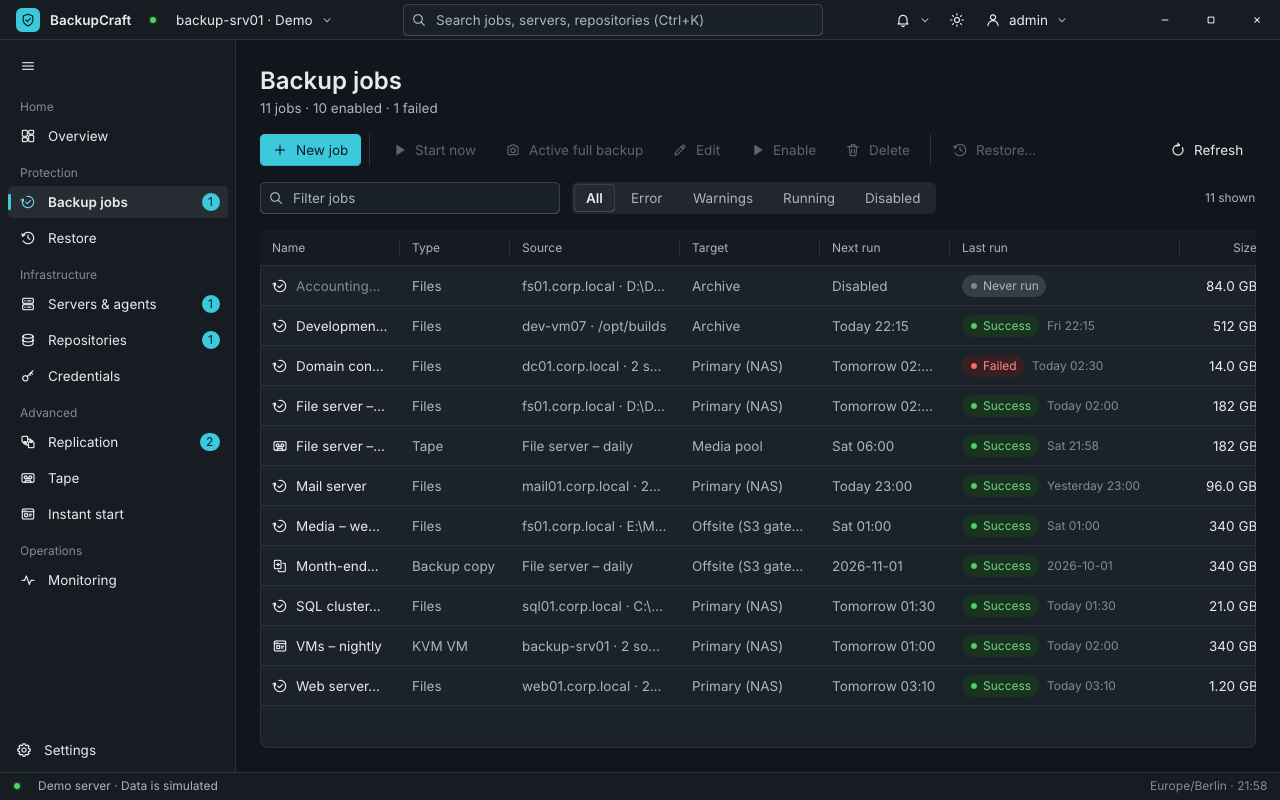
See at a glance what needs you
Overview · the last run of every job · e-mail and web hooks
The overview shows how much is protected, what ran in the last 24 hours, what failed and how full your repositories are. Anything that needs attention is listed with a direct link to it.
- Successthe last run went through
- Failedsomething went wrong, and the overview says what
- Never runthe job has not run yet
If you like, failures also reach you by e-mail or web hook, together with a daily summary.
All features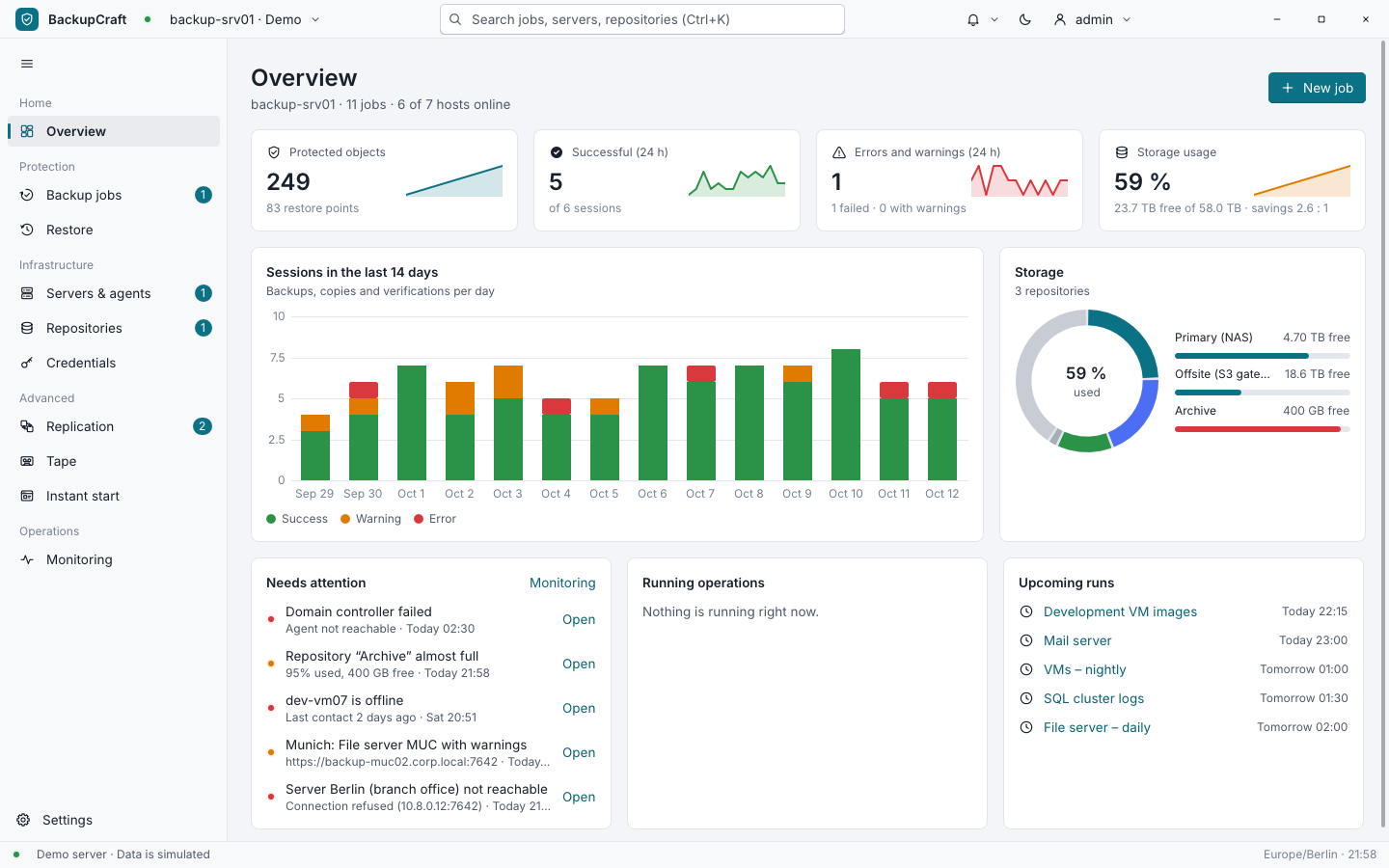
One server, agents on your machines
Windows and Linux · pairing code or SSH · console and command line
The backup server keeps the schedules, the restore points and the users. A small agent runs on every computer you want to protect: pair it with a one-time code from the console, or let the server install it over SSH on a Linux machine. On its first start, the console's setup assistant asks what the computer should become.
Server and agents trust each other only through certificates of the server's own certificate authority (mutual TLS). An agent reads only inside the folders you share and never runs commands. You work in the desktop console; scripts use bcctl, the command-line client.
How the parts talk to each other- Consoledesktop app
- bcctlcommand line, scripts
- Jobs, schedules and retention
- The backup and restore engine
- Users, roles and the audit log
- Its own certificate authority
- fs01Windows Server 2022Online
- mail01Debian 12Online
- dev-vm07Ubuntu 22.04Offline
- Primary (NAS)71 % used
- Offsite38 % used
- Archive93 % used
Stored once, encrypted, signed
Deduplication · compression · encryption · signatures
Your backups take little space and stay private. JFBackup cuts files into pieces by their content, keeps each piece only once, then compresses and encrypts it before it is written. Every restore point is signed, so a changed backup does not go unnoticed.
Restore points can be made immutable. Users get one of four roles, from viewer to administrator, every change is written to the audit log, and a recovery kit keeps a sealed copy of the repository key for the day you need it. Even updates are signed and checked before use.
The data path in detail- Cut by contentA piece ends where the content says so. A change in the middle of a file only touches the pieces around it.FastCDC
- Stored onceA piece the repository already holds is only referenced, not written again. So a daily full restore point costs little space.keyed BLAKE3 ids
- Compressed and encryptedEvery new piece is packed and encrypted on its own before it leaves for the repository.LZ4 or zstd · XChaCha20-Poly1305
- EncryptedSignedImmutableA signed restore pointThe restore point lists its pieces and is signed. Made immutable, it cannot be deleted while the lock lasts.Ed25519
Plan once, restore any point
Schedules in any time zone · grandfather-father-son · careful restores
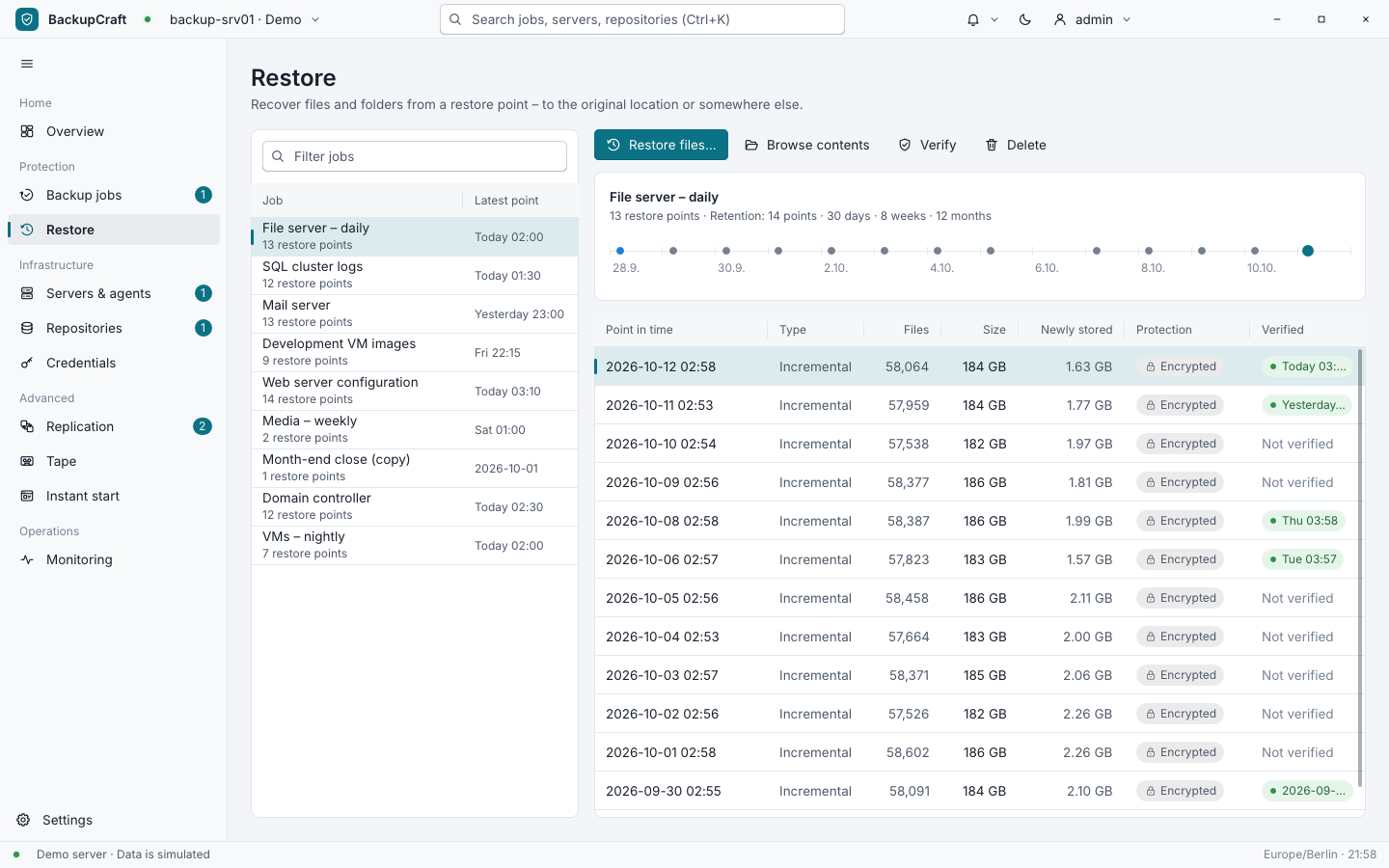
Jobs run on schedules in any time zone and keep their restore points by number and by grandfather-father-son, for example 14 points, 30 days, 8 weeks and 12 months. Every restore point is a full image, so there is never a chain of increments to piece together.
To restore, pick a point on the timeline and bring files back to their original place or into another folder. Existing files are skipped, renamed or replaced, as you choose, and users with the Restore role never overwrite anything.
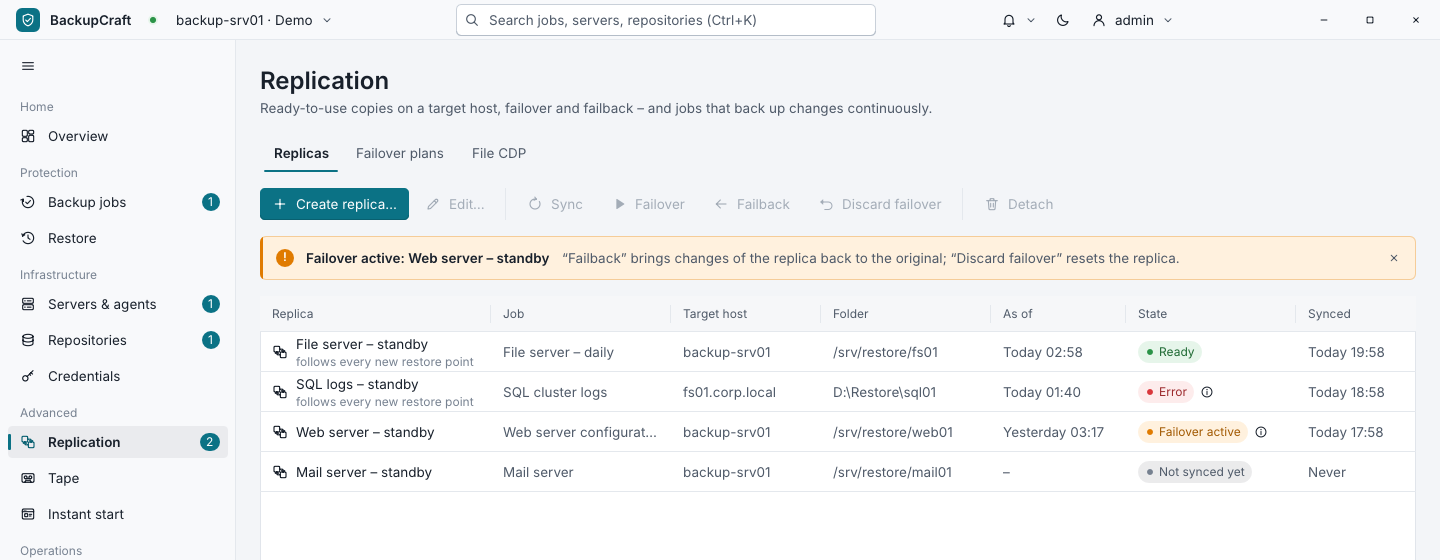
A second copy, ready to take over
Copy jobs for 3-2-1 · replicas with failover · continuous protection · tape
Copy jobs bring your restore points into a second repository off site, for the 3-2-1 rule: three copies, on two kinds of storage, one of them elsewhere. A replica keeps the newest state of a job ready in a folder on another machine; if the original fails, switch over to it and later write the changes back.
Folders that change all day can be protected continuously, with a new restore point soon after every change. A virtual tape library writes restore points to tapes on disk that can be read even without a server.
Virtual machines and whole drives
QEMU/KVM · instant start · boot checks · VSS and LVM
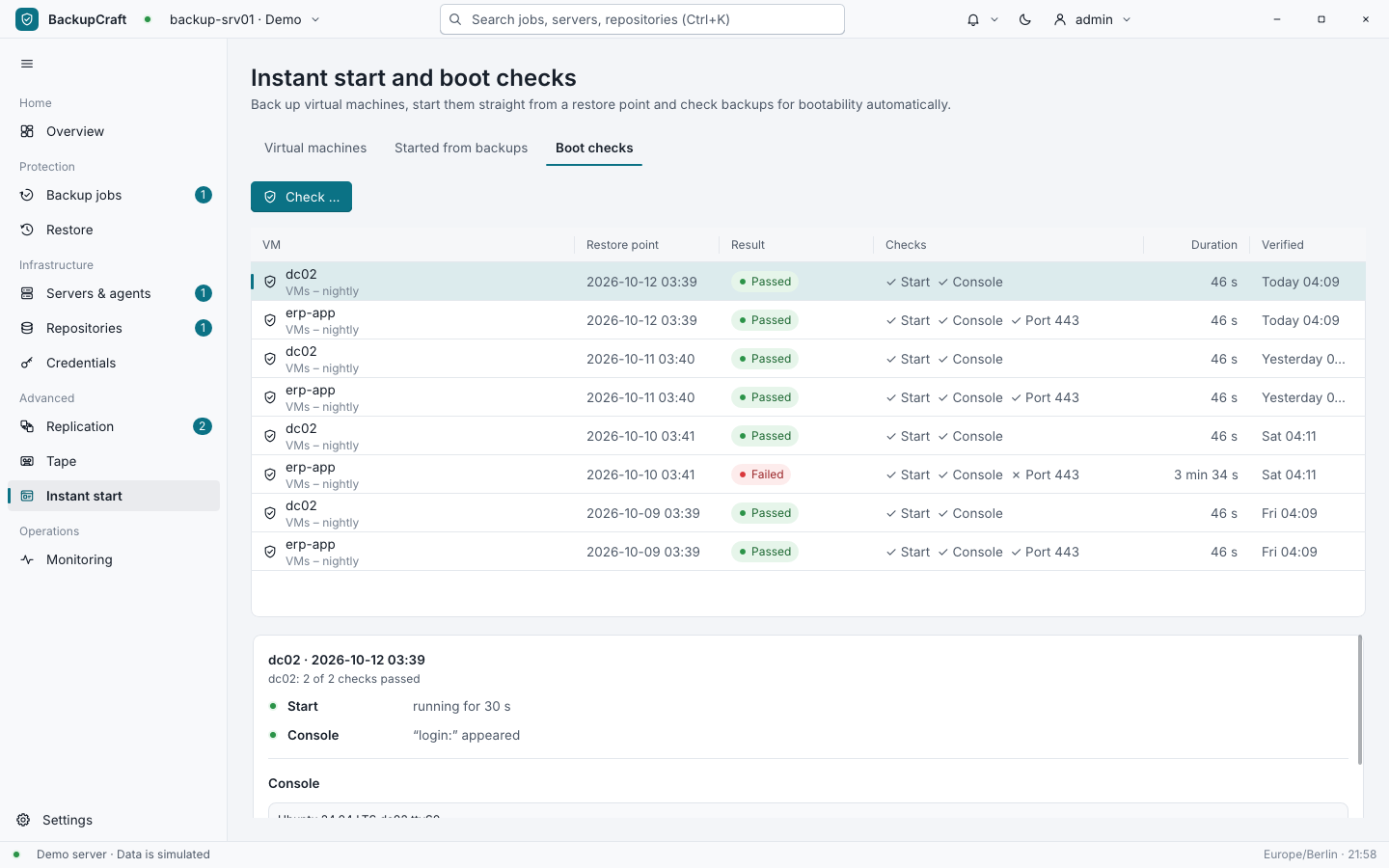
On a Linux backup server, JFBackup backs up QEMU/KVM virtual machines while they run and reads only the blocks that changed since the last time. A machine can start straight from a restore point, and boot checks start a backup in isolation to prove that it still comes up.
Whole volumes of the backup server are saved block by block, through a shadow copy on Windows (VSS) or a snapshot on Linux (LVM).
Built on JFLib
JFBackup is made with JFLib, a GUI library written from scratch in Rust. Its encryption, compression, TLS and SSH, its database and the console's tables and charts were written for this app and are now part of the library, for every app built on it.